CSS or simply known as “Cascading Style Sheet” is a document which is used to beautify HTML webpage. It consists of one or more selectors and a declaration block to make change in a specific tag and attribute in markup webpage.
CSS can be used within HTML document with the tag <style> or inside of a tag by using ” style=”color:red;” ” or it can simply be used as a ” .css ” file but you will need to add the bottom line in HTML code <head> tag.
<link href=”style.css” rel=”stylesheet” type=”text/css”/>
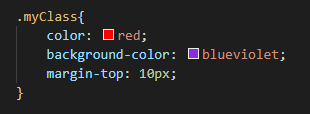
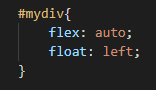
Selectors can be tags like h2,div,p,img etc or attributes like id (example: #mydiv) or class(example: .myClass) of a HTML tag. There are pseudo-class (example: :hover) which can be added next to a tag or attribute. Tags and attributes can both be used for great flexibility.
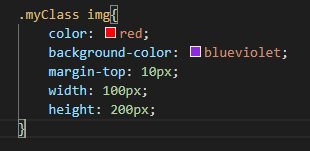
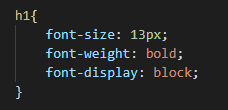
Selectors are used with second bracket and within them are added “properties with values” (examples: “color:red; font-size:13px”) , each properties are ended with semi colon to seperate them. This total declarations in braces is called a “Declaration Block”.
For A Better Tutorial , Read This Blog Or Watch This Video Which Covered All Of The Basics Of CSS
 Byronic